
2025・Experiment・Vibe Coding
☕ Mobile App for Coffee Machine
The Challenge:
- Write a functional program
- Without prior coding experience
- Without manual code editing
- Without creating graphic materials
- With zero material costs
- Complete the task within 2-3 days
I own an old Italian coffee machine that I absolutely love. It needs about 7-8 minutes to preheat before it's ready to brew coffee. The problem is that I frequently switch it on and then forget about it; sometimes it can run all night because I turned on the heating in the evening and simply forgot. This waste of resources is harmful to the environment, so I decided to test out vibe-coding to solve my issue.
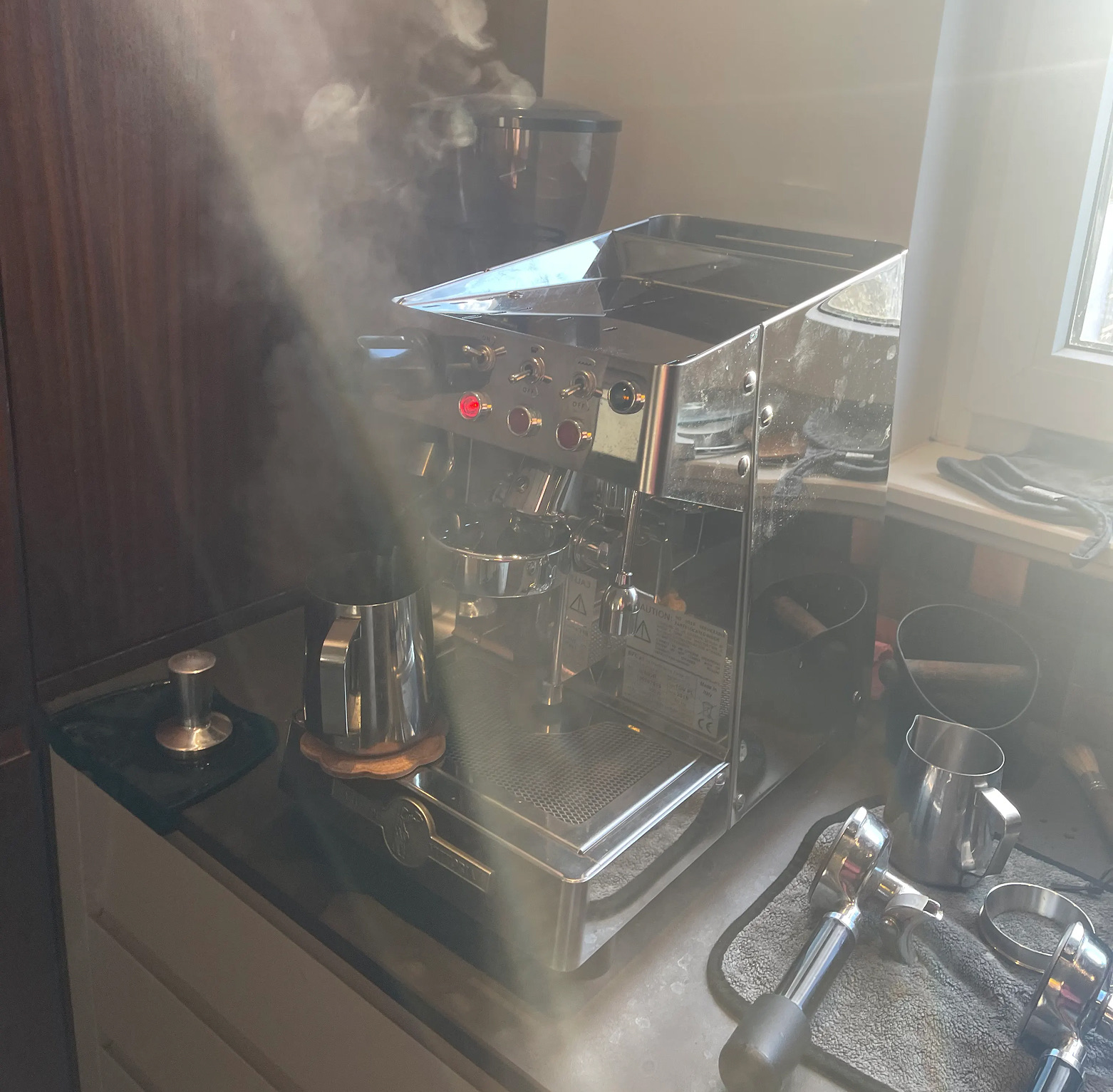
I came up with the idea of writing a program with the following core functions:
- Control a smart plug via API
- Activate the coffee machine's preheating
- Send a notification when the coffee machine is heated, along with other reminders
- Turn off the coffee machine after the timer runs out
- Keep statistics on the number of cups consumed
- Send a reminder to order coffee when supplies are low (I use a service that sends coffee roasted no earlier than 48 hours ago, so I place an order when I have coffee left for only about 10-15 cups)
Tools I Used:
- ChatGPT
- Gemini
- Perplexity
- Cursor
- Antigravity (by Google)
- Node.js
- Git
- Expo Go
- Tuya API
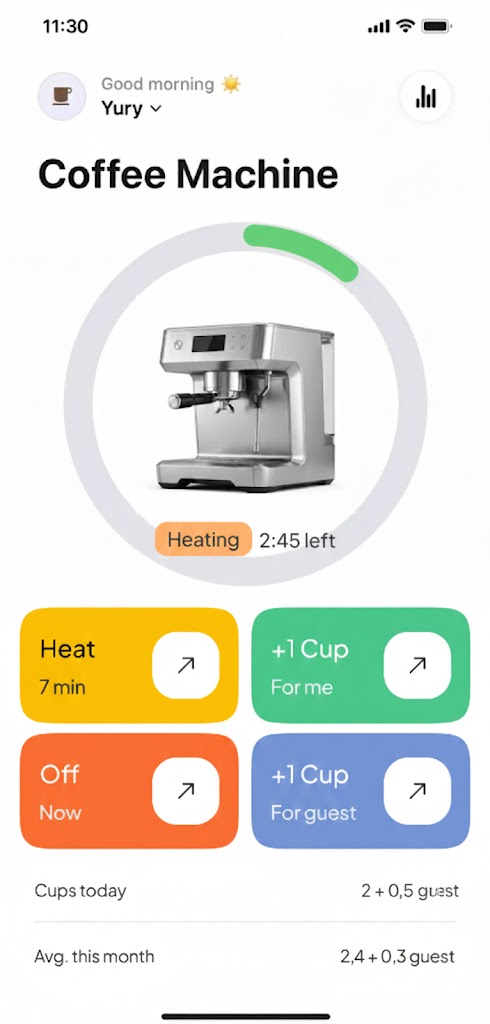
Naturally, the coffee machine has no sensors, so all the logic is based on my specific situation. Real programmers might chuckle at this approach, as the program will only solve a niche problem and is unlikely to be useful to anyone but me. The logic is based on the fact that the coffee machine needs 7-8 minutes to warm up. After this time, the application sends me a notification, reminds me again 8 minutes later, and then turns the coffee machine off 5 minutes after that, regardless of whether coffee was made or not. Also, when I indicate that a cup of coffee has been made, the coffee machine switches off, adds data to the statistics, and updates the coffee stock data.
My Journey
I connected the coffee machine via a smart plug. Initially, I asked the AIs if an API was available for my specific smart plug. After reading a few articles, I settled on using Cursor + Expo Go (a mobile application for Android and iOS that allows testing React-Native applications).
Step 1: Planning and Mockups
I described the program's operational logic in text to ChatGPT and asked it to create rough mockups of two screens using ASCII code. I received a result.
Step 2: Generating the Design
I generated the design based on this mockup in Nano Banana, providing it with references and pre-exported JSON from other designs (I read about this method somewhere, where you ask the AI to export a reference image as JSON and then use that, but ultimately this method didn't yield any adequately usable result). In the end, I got a design.

Step 3: The Coding Process & Tool Switch
Next came the main struggle. I set up Cursor, downloaded all the necessary applications, and began work. After about 4-5 iterations, the program looked decent and seemed to be working 😉. But API access was not functional. I tried many things.
And then, after only about 1-1.5 hours of work, Cursor informed me that the free trial had ended and I could only continue by purchasing an account. I thought my challenge had already ended in failure.
But then I remembered the new Antigravity from Google and installed it. I decided to continue working on the project (it wasn't obvious to me that I could easily switch from Cursor to Antigravity and continue with the same project).
In short, we struggled with the API for a long time. I obtained the keys, but the program returned an error stating it had no access. We tried cycling through various regional data centers. The API simply would not work. This was the second time I nearly gave up.
At the last moment, I logged into the portal where I had obtained and tested the API keys (which was a quest in itself), and decided to search for the API access documentation, even though Antigravity assured me it was drawing documentation from there. I took the direct link and gave it to Antigravity. And a miracle! It started working. The documentation described two options, and Antigravity tried the second one, which resolved the issue.
Step 4: Refining the Logic
Next, I fixed the problem that the application initially only sent notifications and turned off the coffee machine when it was actively running. Antigravity suggested that I just needed to open the application, and it would switch off the coffee machine 😆 - so simple! But then what was the point of the application if I still had to remember to do something?
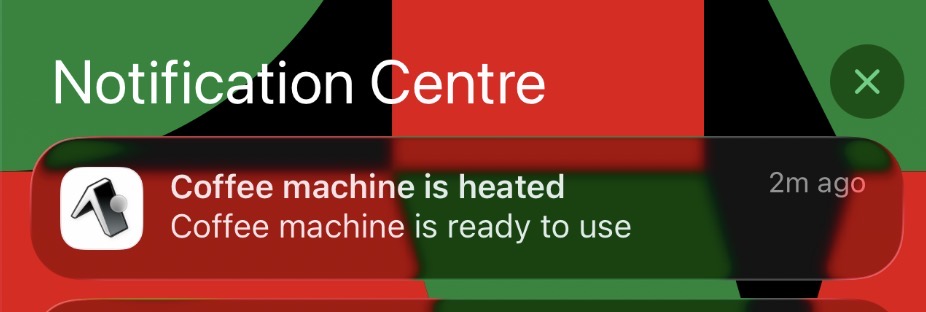
I recalled seeing a timer function in the smart plug's API and forced Antigravity to use the API's timer instead of calculating the time within the program itself. This also worked. Notifications were also switched to OS-level execution and started working even when the application was closed.
Conclusion
My story is coming to an end. I solved all the main problems, and the program generally fulfills its functions. I'm not sure if I'll use it permanently, but it was just an experiment.
Results and Takeaways:
The total time taken to complete the task was 8-10 hours
It was achieved with zero financial costs
I did not write a single line of code or draw a single pixel of graphics
Yes, something as complex (for a layperson) as API access to a smart gadget can also be conquered with vibe-coding
It was a great experience that broadened my horizons
In the second part, I plan to use the Figma MCP server.
